
Activity Based Working: More Than Shared Desks
Activity based working gives people a choice of settings for different tasks. Someone might use a quiet workstation to concentrate, a meeting room for a client discussion and a shared project area to develop ideas with colleagues. Hot desking describes how desks are allocated: people share them rather than having a permanently assigned desk.
The approaches can work together, but removing desk ownership does not create activity based working by itself. The useful question is whether people can find a suitable place for the work in front of them.
Key Takeaways
- Activity based working is organised around tasks. Hot desking is a desk-sharing arrangement.
- A useful mix includes space for concentration, calls, collaboration and everyday desk work.
- The right balance depends on actual demand, including your busiest office days.
- Technology, clear expectations and individual adjustments matter alongside the furniture.
- Test the approach with staff before changing the whole office.

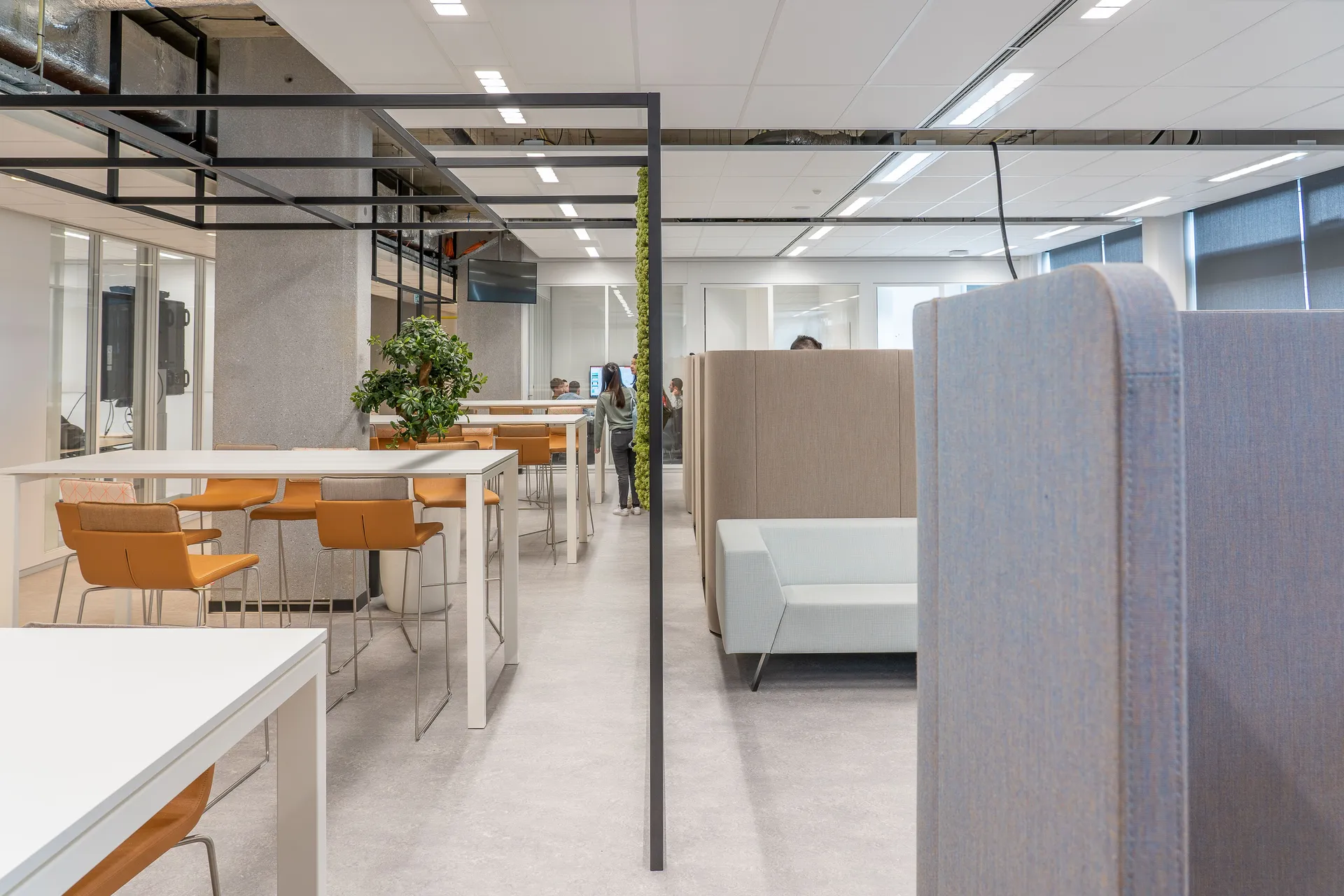
The Presidio project included 4-person meeting booths alongside offices and collaboration furniture. Providing a place for a small discussion is one way to support different activities without asking every team to work at an open desk.
1. Understand What Activity Based Working Changes
In a conventional office, the same desk often has to support everything: detailed writing, video calls, quick questions and informal meetings. Those activities can interfere with each other. Activity based working separates some of them into settings designed for their particular needs.
For example, a Dublin consultancy might need quiet space for report writing, small rooms for confidential calls and somewhere a project team can leave working material during a workshop. Adding more desks would not answer all 3 needs.
The approach also changes everyday habits. People need to know which spaces welcome conversation, where calls belong and how to find colleagues. Managers must support sensible choices rather than judge someone’s availability by whether they are sitting at a familiar desk.
For the design brief, describe the work each area should support before choosing its furniture. List the equipment, privacy and access each task needs, then check whether the proposed setting provides them.
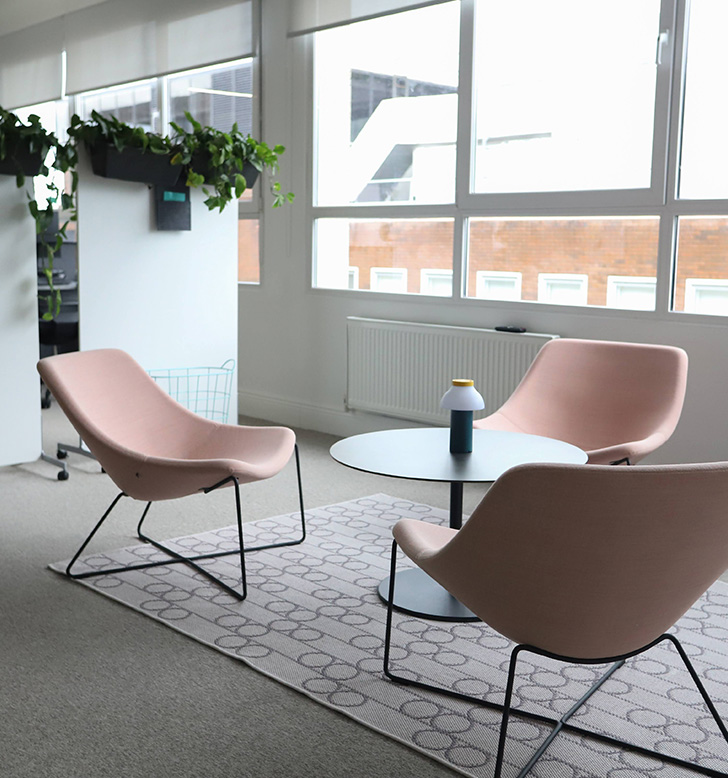
The GoFundMe office combined dedicated workspaces with collaborative areas and flexible layouts. The useful lesson is to offer settings suited to different tasks, rather than treating the removal of assigned desks as the whole strategy.
2. Separate Activity Based Working from Hot Desking
Hot desking answers, “Which desk can I use today?” Activity based working answers, “Which setting suits this task?” An office with shared desks and no suitable alternatives is still asking everyone to do different things in much the same environment.
Hybrid working introduces another choice: when people work in the office or elsewhere. It affects attendance and demand, but it does not tell you how the office should be arranged. A useful hybrid office design considers the activities people carry out when they come together.
Keep these decisions separate in the project brief. Agree the purpose of each setting, then decide which desks need to be assigned, shared or reserved.
Does everyone have to give up their desk?
No. A workplace can offer task-based choice while retaining allocated workstations for particular roles or individual requirements. Someone using specialist equipment or an individually adapted workstation should not have to rebuild their setup every morning.
Be clear about the arrangement. Staff will notice if “choice” means arriving earlier to secure the only suitable desk. Protect the workstations and access people need, then make the surrounding shared spaces useful. Consistency of support matters more than applying an identical desk policy to everyone.
3. Build a Useful Mix of Work Settings
Start with a record of tasks and demand rather than a catalogue of furniture. Ask staff where they currently struggle and observe what happens across a normal week. Office space planning can translate those findings into a workable balance of settings, equipment and circulation.
Quiet work and concentration
Provide somewhere people can read, write or analyse information without nearby conversations becoming the main event. Position quiet settings away from entrances, busy routes and social areas.
Decide how silence will be maintained. A screen beside a busy team desk does not create an enclosed quiet room. Acoustic panels may help manage sound within a space, but they do not automatically provide speech privacy. Match the treatment and enclosure to the task.
Calls and private discussions
Check how many calls happen at the same time and which need confidentiality. A brief catch-up and a sensitive HR conversation do not have the same requirements.
Small rooms or meeting booths can provide alternatives to calls at open desks. Check access, ventilation, lighting, power and the manufacturer’s acoustic information. Test the actual setting before treating it as suitable for confidential conversations. Plan enough capacity so people do not occupy a large meeting room for a short solo call.
Team projects and collaboration
Collaborative settings need to support the work being done. A team reviewing drawings may need a large surface and somewhere to display material. A short discussion may need only a small meeting table and a screen connection.
Consider sightlines and nearby noise before adding furniture. The principles of collaborative workspace design help separate productive team activity from conversations that repeatedly interrupt everyone else. Agree whether project material can remain in place and for how long.
An informal area with office soft seating gives colleagues somewhere to exchange ideas, hold a quick catch-up or review work away from their desks. Position it where conversation will not disturb nearby quiet areas, and include a suitable table and power access if people will use laptops.
Everyday desks and shared support
People will still need properly equipped desks for sustained computer work. Provide suitable monitors, connections and adjustable chairs, with clear instructions for setting them up. Avoid making a lounge chair the fallback when desk demand is high.
Include accessible storage for personal belongings and work materials. Keep printers and shared equipment within sensible reach without placing queues beside quiet settings. Day-to-day convenience influences whether people use the planned spaces or create workarounds elsewhere.
4. Make Choice Practical for Everyone
A setting is useful only if people can access it, understand its purpose and work there comfortably. Review the employee journey from arriving with a bag to joining a call, finding colleagues and leaving equipment secure. Include people with different roles, working patterns and access requirements in that review.
Workstations, accessibility and individual adjustments
Do not assume a choice of seats meets every need. Some employees need predictable locations, particular equipment, reduced distraction or a workstation reserved for them. Agree individual arrangements privately and keep suitable options available when the office is busy.
The Irish Health and Safety Authority’s display screen equipment guidance covers assessment of the workstation and reassessment when an employee moves to a new one. Desk sharing therefore needs a practical assessment and adjustment process, not simply a note telling people to sit correctly.
Check routes, doors, controls and furniture together. A booth that looks ideal on a plan may be unsuitable for someone who cannot enter or use it comfortably. Staff should know how to request help when a setting does not work for them.
Technology, booking and everyday expectations
Make connections consistent enough that moving does not turn into a search for adapters. Check Wi-Fi, docking arrangements, screen sharing and power in each setting. People also need a reliable way to find colleagues without tracking someone’s every move.
Use booking where it solves a real problem. Meeting rooms and scarce specialist spaces may need reservations; informal areas may work better without them. Agree what happens to unused bookings and who deals with faults.
Keep the expectations short and specific: take calls in designated areas, leave shared settings ready for the next person and respect quiet zones. Managers should follow them too. If a supposed quiet space is routinely used for team briefings, staff will stop trusting the label.
5. Pilot the Approach Before a Full Office Change
A pilot can reveal practical problems while changes are still manageable. Choose a team or part of the office with a clear reason to test task-based settings. Explain what is being tested and invite feedback from people who are enthusiastic as well as those who have concerns.
- Record the starting point. Note the tasks people struggle to complete and which rooms or desks are regularly unavailable.
- Include busy days. Check demand when teams meet on site, rather than relying on a quiet weekly average.
- Test the whole setup. Include equipment, storage, booking, cleaning and individual adjustments.
- Watch for displaced problems. A popular collaboration area may make nearby desks less usable.
- Ask useful questions. Find out whether people can locate suitable space and complete their work, not simply whether they like the new furniture.
- Assign follow-up actions. Give equipment faults, layout changes and operating issues a named owner.
Give the pilot enough time to include the tasks it is supposed to support. A project team’s workshop week may look very different from its reporting week. Ask what people avoided using as well as what they booked. An empty setting may be unnecessary, poorly located or missing something as simple as a working screen connection.
Do not reduce desk numbers before understanding the alternatives people need. If the pilot shows repeated shortages of quiet space or accessible workstations, resolve those gaps before extending it. A 2D or 3D design review can help test revised layouts, but it should be checked against real use.
6. Choose the Approach That Fits Your Work
Activity based working is most useful when employees have different tasks and the office can support them with meaningful choices. It is harder to justify a large range of settings where most people need the same specialist workstation throughout the day.
Begin with a simple brief: what people do, where the current office lets them down and what a better working day would look like. iGate Interiors can help translate that brief into a layout with the right mix of workstations and shared settings. Keep reviewing the result after people move in, because working habits and team needs will continue to change.
Activity Based Working FAQs
Can a small office use activity based working?
Yes, if the choices are useful. A small office might combine well-equipped desks with a quiet room and a flexible team space. Avoid squeezing in so many settings that none works properly.
Must employees move several times each day?
No. Moving should serve the task. Someone doing sustained focused work may stay in one suitable setting for an extended period. Requiring movement for its own sake adds disruption without providing a benefit.
Is activity based working the same as an open plan office?
No. Activity based working describes how people choose settings for their tasks. Those settings can include enclosed rooms as well as open areas. An open plan layout alone does not provide the variety, privacy or operating arrangements the approach needs.
Does activity based working require a complete office fit-out?
Not always. Start by testing whether existing rooms and work areas can support a useful range of tasks. Some changes may involve equipment or clearer expectations. Review what the pilot reveals before committing to alterations or buying additional furniture.
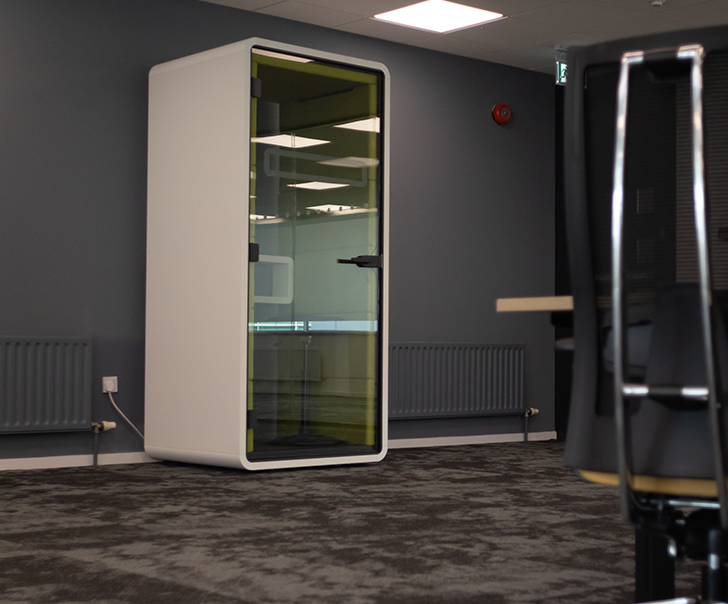
The H+K International fit-out included meeting pods, office furniture and breakout settings. Enclosed settings can give calls a more suitable home, provided their capacity, access and booking arrangements work for the team.